 neo.js.cn@gmail.com

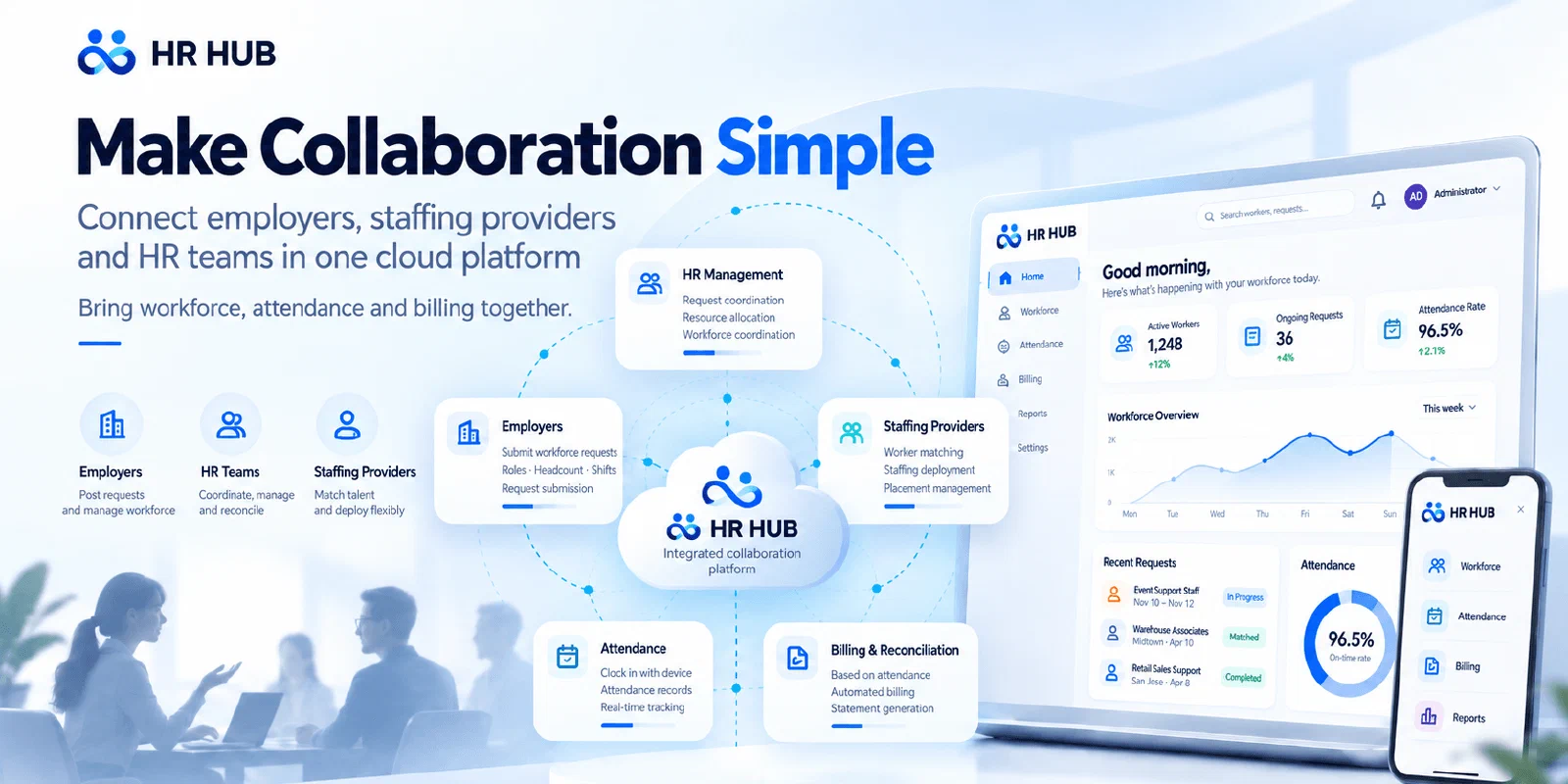
Clear assignments. Confirmed hours. Traceable billing.
HR HUB brings employers, staffing agencies and HR teams together to manage outsourced labor, from the first staffing request to the monthly billing statement. It connects who is working where, which hours have been confirmed and how the associated costs add up.
When several agencies supply workers across different worksites, a month-end total can be difficult to explain. Employee lists, punch logs, shift rules and hourly rates all contribute to the answer. HR HUB keeps those records connected so teams can review the basis of a bill without piecing it together from spreadsheets and messages.
Explore the live demo Discuss your workforce needs
The screenshots below were captured from the live application on October 24, 2026. Select an image to view it at full size.
A shared workflow for employers, agencies and HR
Each team needs a different view of the same operation. Employers need to know whether a demand has been filled; agencies need to follow their workers’ assignments; HR and finance need to reconcile the work performed with the costs recorded.
| Team | Questions HR HUB helps answer |
|---|---|
| Employers and worksite managers | What labor is needed, who has been assigned and which hours and costs need review? |
| Staffing agencies and labor suppliers | Where are our workers assigned, how are employment changes progressing and which attendance records support reconciliation? |
| HR operations and finance | Which records need attention, which hours are confirmed and how do daily costs contribute to the monthly statement? |
The connection between these records matters throughout the month. A change in an employee’s assignment needs its employment context; an attendance exception needs review; a billing figure needs supporting daily detail.
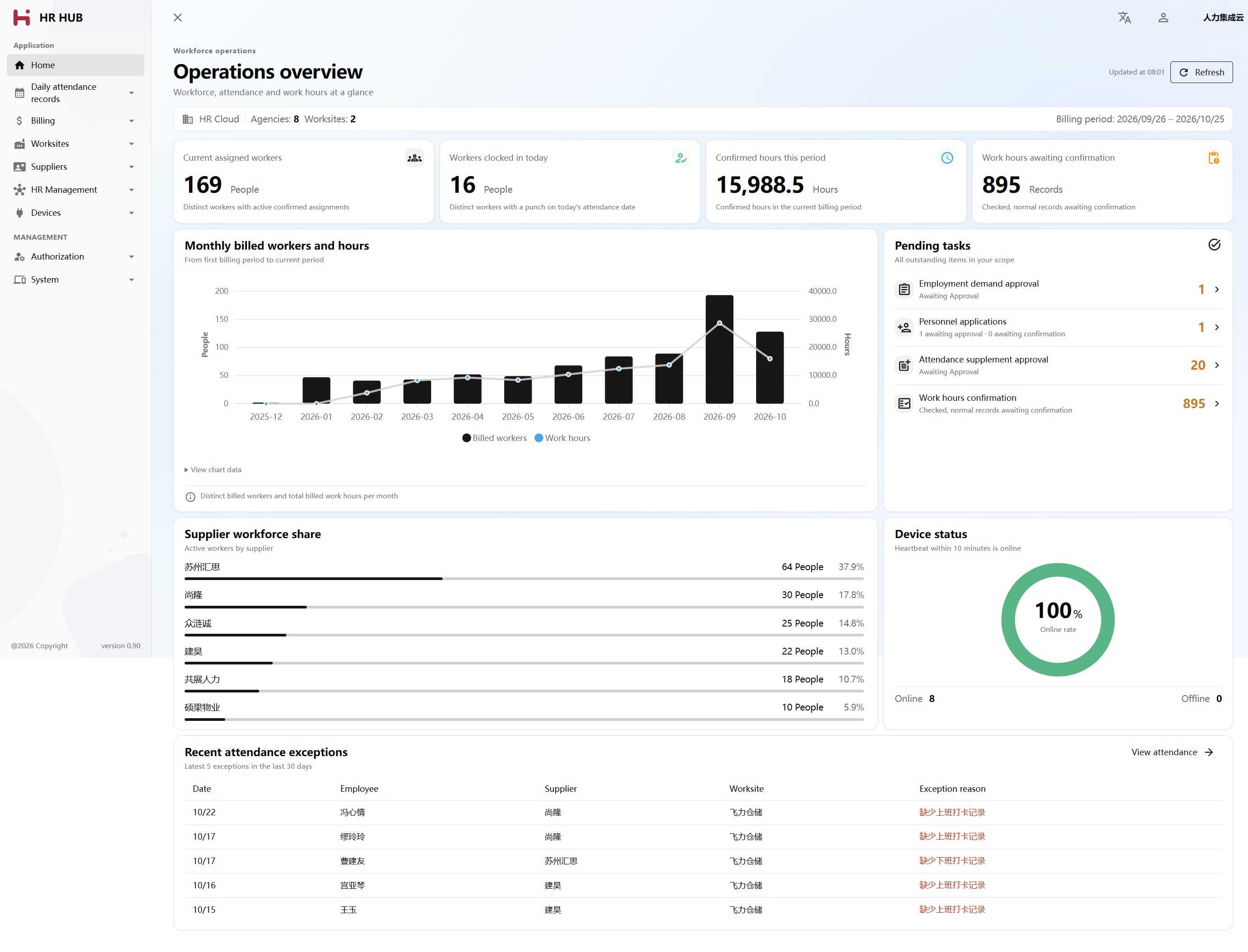
The operations overview brings together active assignments, confirmed hours for the current billing period, pending tasks, monthly trends and device availability.
Five stages from staffing demand to monthly statement
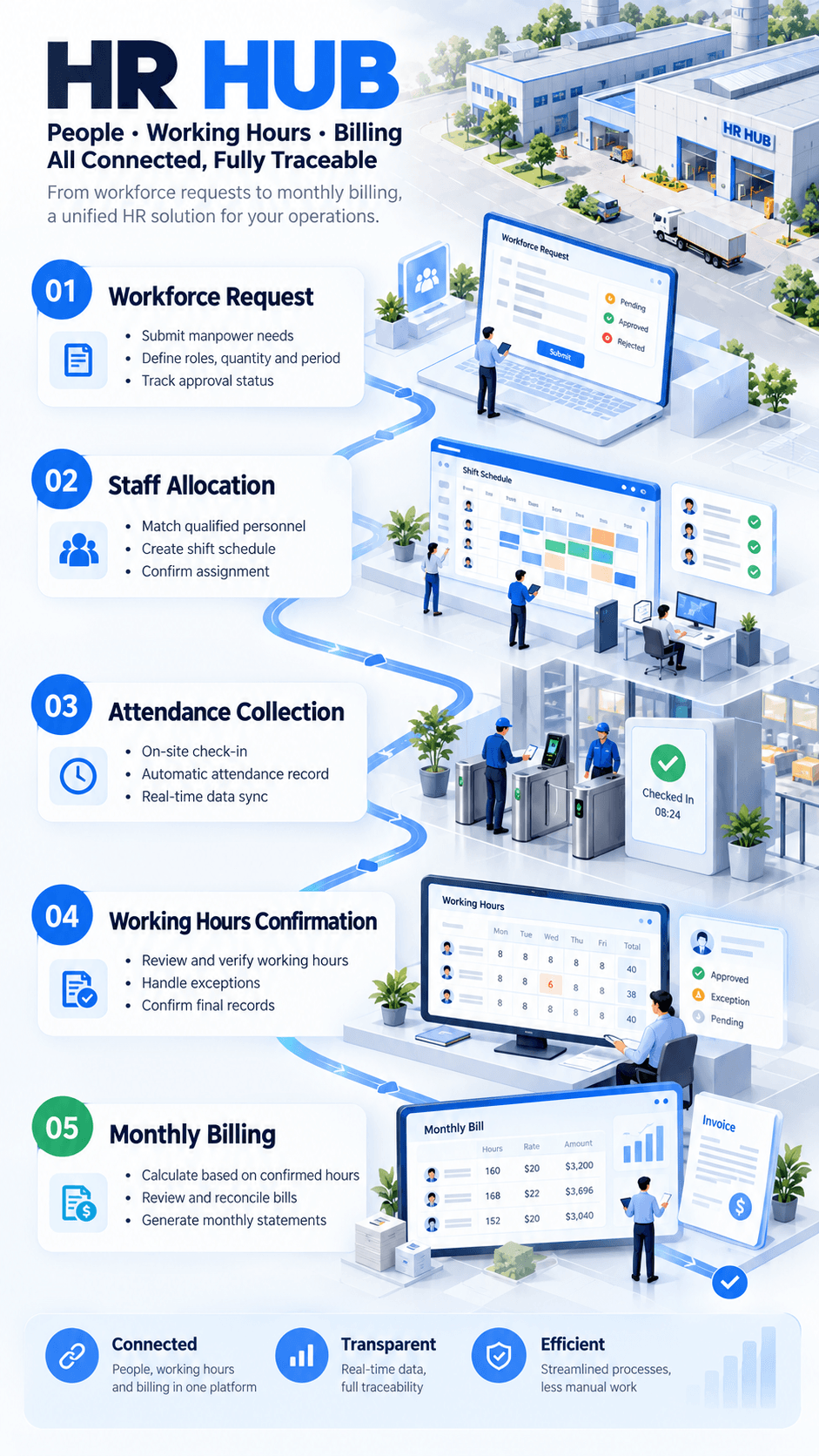
1. Plan the workforce
Create a staffing demand with the worksite, department, job type and required headcount. Record the agency-side and employer-side hourly rates so both sides of the arrangement have a defined basis for costing.
Organization records and approval workflows keep the request connected to the teams responsible for filling and reviewing it.
2. Assign people with a clear employment record
Manage employee profiles, applications, approvals and employment history alongside the demand. Employment changes have their own requests and records, helping teams follow how an assignment develops over time.
Attachments, job types and apartment records support the administration around each worker. Where configured, ID-card OCR and face-processing services assist employee intake.
3. Turn device punches into daily work hours
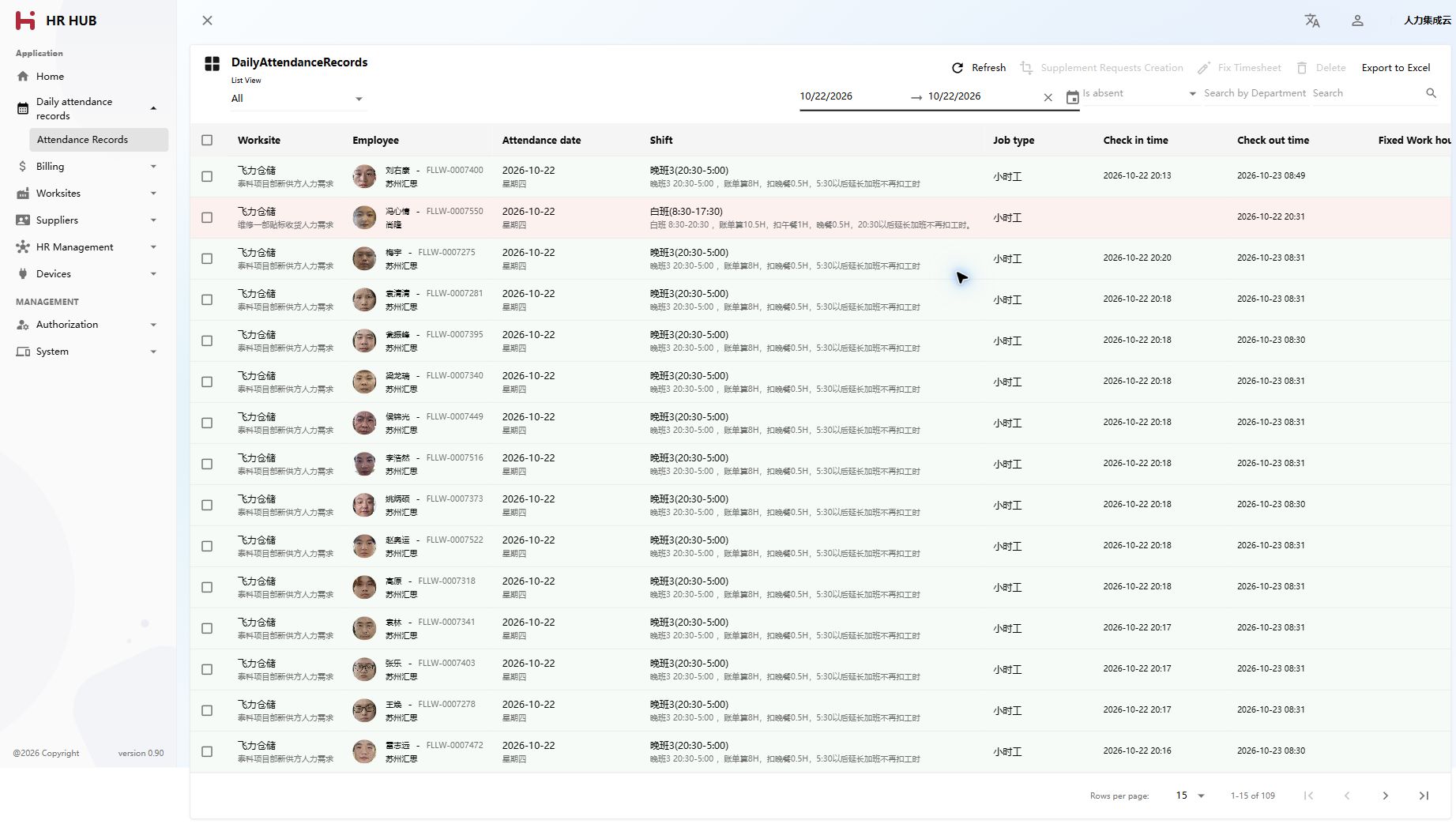
Integrated attendance devices supply punch records. HR HUB calculates daily work hours against shifts and surfaces attendance exceptions for review.
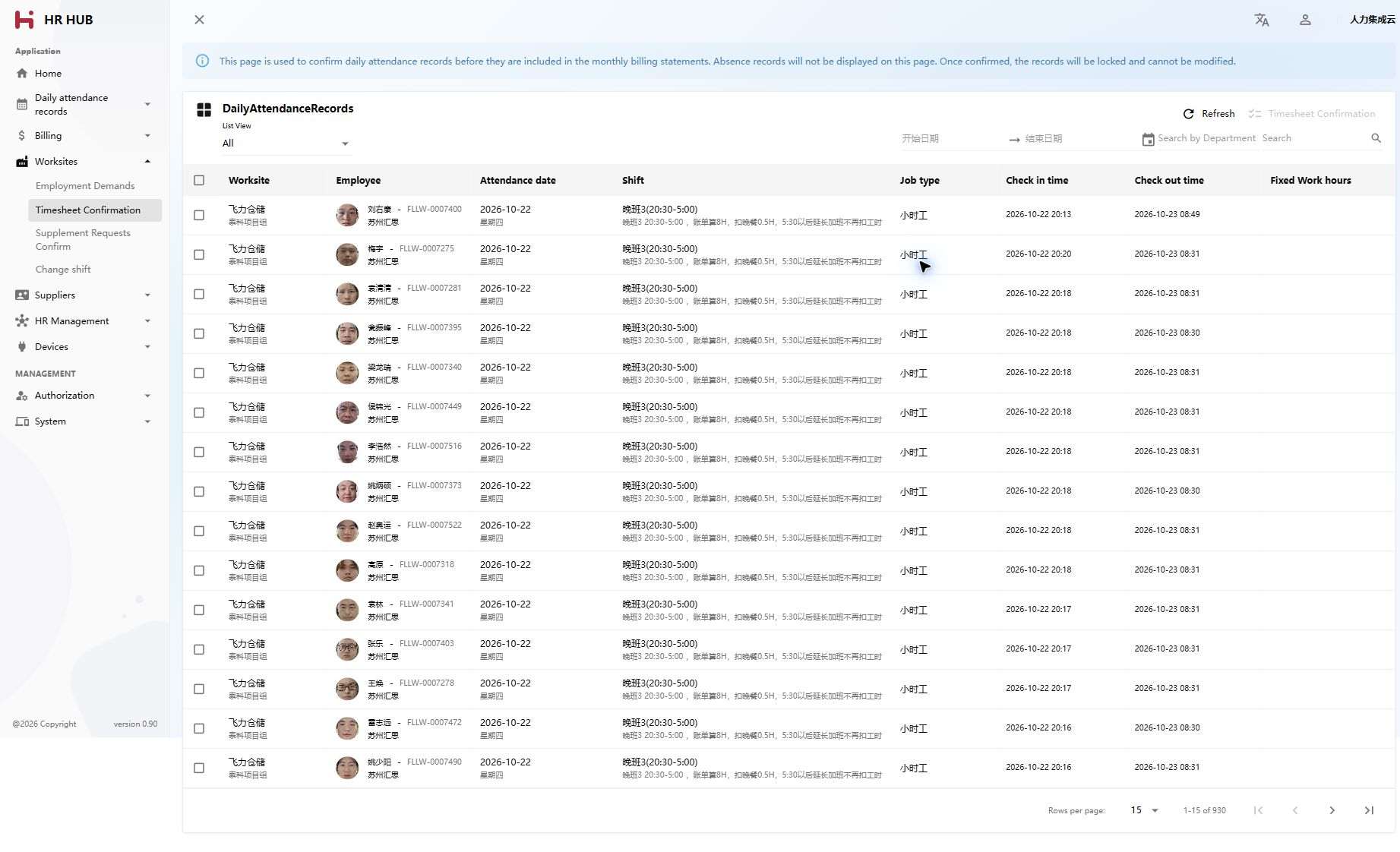
The daily attendance view brings the employee, employer, shift, job type, punch times, calculated hours and exception information into one record. Date-range and exception filters help teams focus their review, with Excel export available for further checks.
4. Review exceptions and confirm the hours
Attendance correction requests and exception checks help teams resolve records that need attention before confirming the daily hours used for billing. Confirmation records who confirmed the attendance and when.
This gives reconciliation a specific starting point: the daily attendance that has been reviewed and confirmed.
5. Prepare the monthly statement
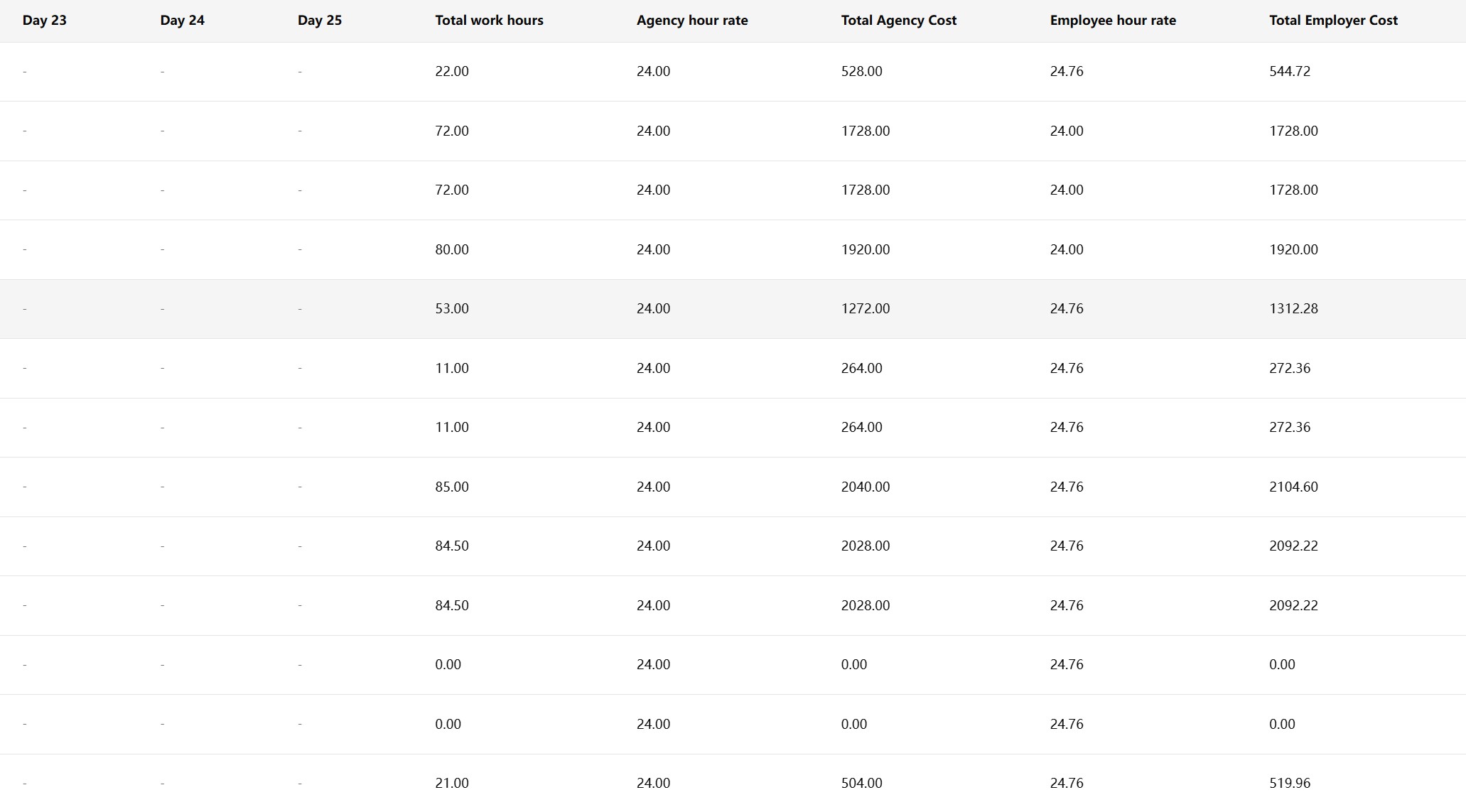
Confirming daily attendance creates or updates the corresponding employee-level monthly statement. Confirmed hours and their associated costs accumulate into a monthly record that teams can review and export.
Every monthly total has a daily explanation: the employee, worksite, agency, confirmed hours and related costs.
What supports a monthly billing total?
A statement retains the detail needed to understand how the total was built:
- Daily work hours, overtime hours and job type.
- Separate agency-side and employer-side hourly rates and costs.
- Attendance confirmation records identifying the confirmer and confirmation time.
- Monthly totals for work hours and costs on both sides.
The current billing cycle runs from the 26th of the previous month through the 25th of the statement month. For example, an October statement covers September 26 through October 25.
Statements provide the records for reconciliation, with actual payment handled separately by the business. Keeping daily detail, confirmation records and audit history makes it easier to investigate a disputed figure or explain a change.
Support the daily work around each assignment
The main workflow sits alongside the records and controls needed to run it consistently.
| Business area | Included capabilities |
|---|---|
| Workforce coordination | Organizations, staffing demands, employee applications, approval workflows, employment history and change requests. |
| Employee administration | Employee profiles, attachments, job types, apartment records and configurable intake integrations. |
| Attendance operations | Device integration, punch logs, shifts, daily attendance, exception checks and correction requests. |
| Billing and reconciliation | Hours confirmation, monthly statements, daily cost detail, separate agency and employer costs and Excel exports. |
| Operational oversight | Business dashboards, role-based permissions, tenant-aware accounts, audit trails, login audits and integration logs. |
A self-hosted .NET application
HR HUB is built with .NET 10, Blazor Server, MudBlazor and Entity Framework Core. It supports SQLite, SQL Server and PostgreSQL, with SQLite as the checked-in default.
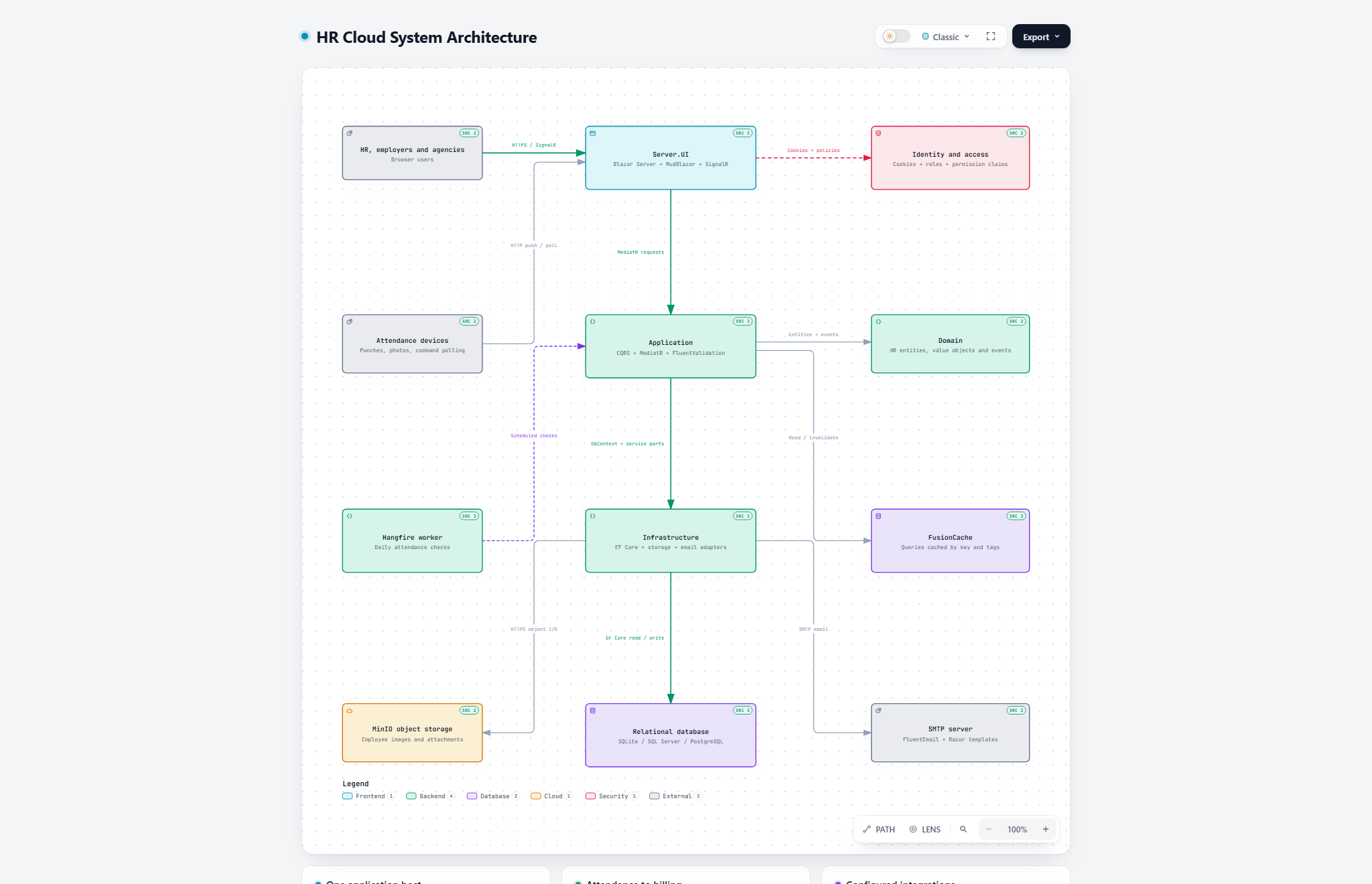
The application uses a layered monolith: Domain defines business records, Application organizes use cases, Infrastructure provides persistence and external integrations, and Server.UI hosts the interactive application and attendance-device endpoints. MediatR, FluentValidation, FusionCache and Hangfire support request handling, validation, caching and background attendance checks.
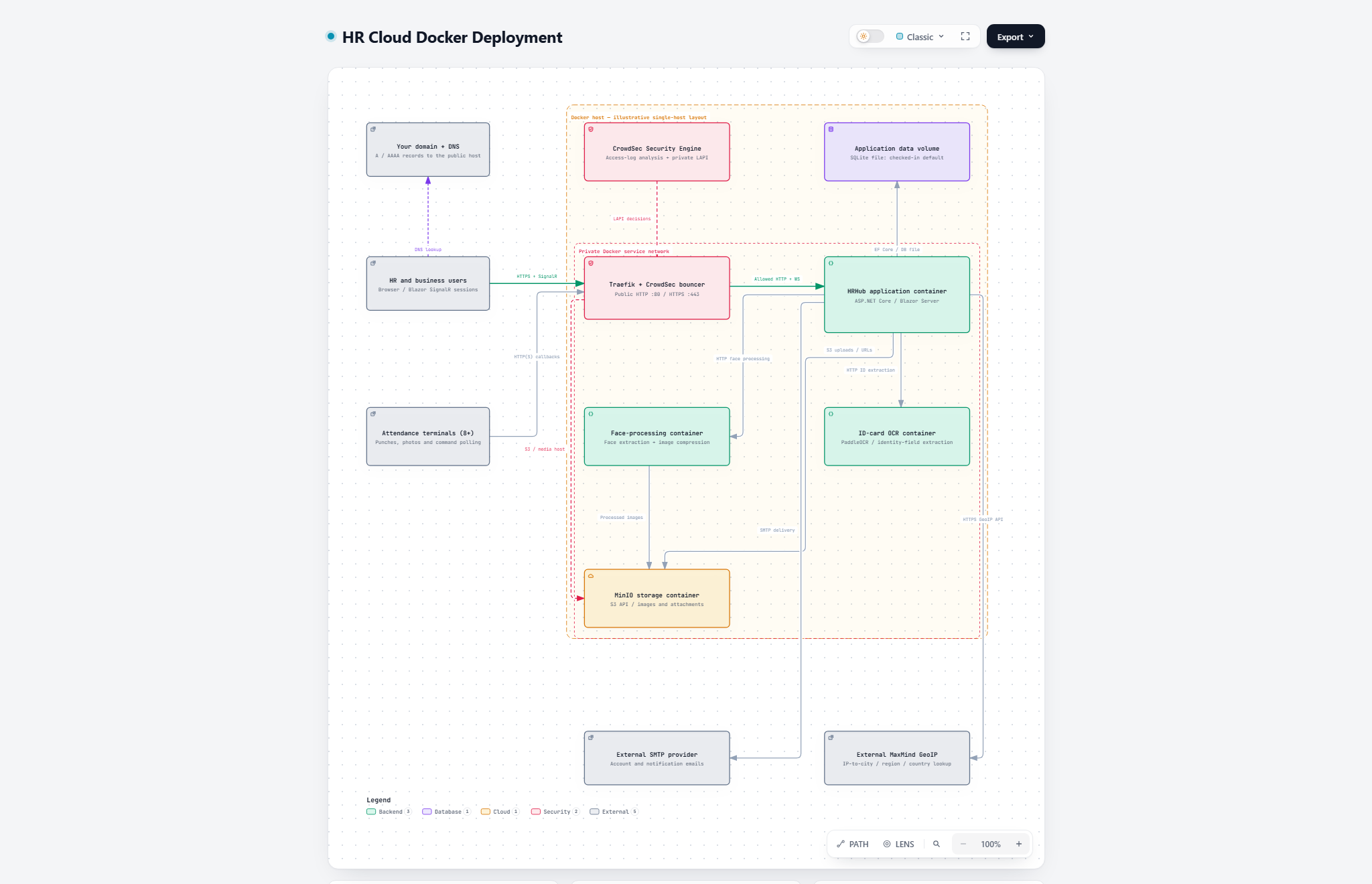
Deployment can use the project’s Dockerfile and deployment Compose configuration. Database settings and the required external services, including MinIO storage, SMTP email, ID-card OCR and face processing, need configuration for the target environment. The system architecture and deployment topology illustrate the application structure and service connections.
The source repository includes local setup instructions and deployment references. The project is licensed under GPL-3.0.
Try one complete operating cycle
Start with one employer, one staffing agency, a small set of shifts and job types, and integrated attendance devices. Follow a demand through employee applications and assignments, inspect the daily attendance, resolve exceptions, confirm hours and review the resulting monthly statement.
That journey shows how HR HUB connects the records behind three everyday questions: Who worked where? Which hours were confirmed? How was the bill calculated?
Share on WeChat