neo.js.cn@gmail.com

WeCom AI Agent for Customer Support and Business Operations

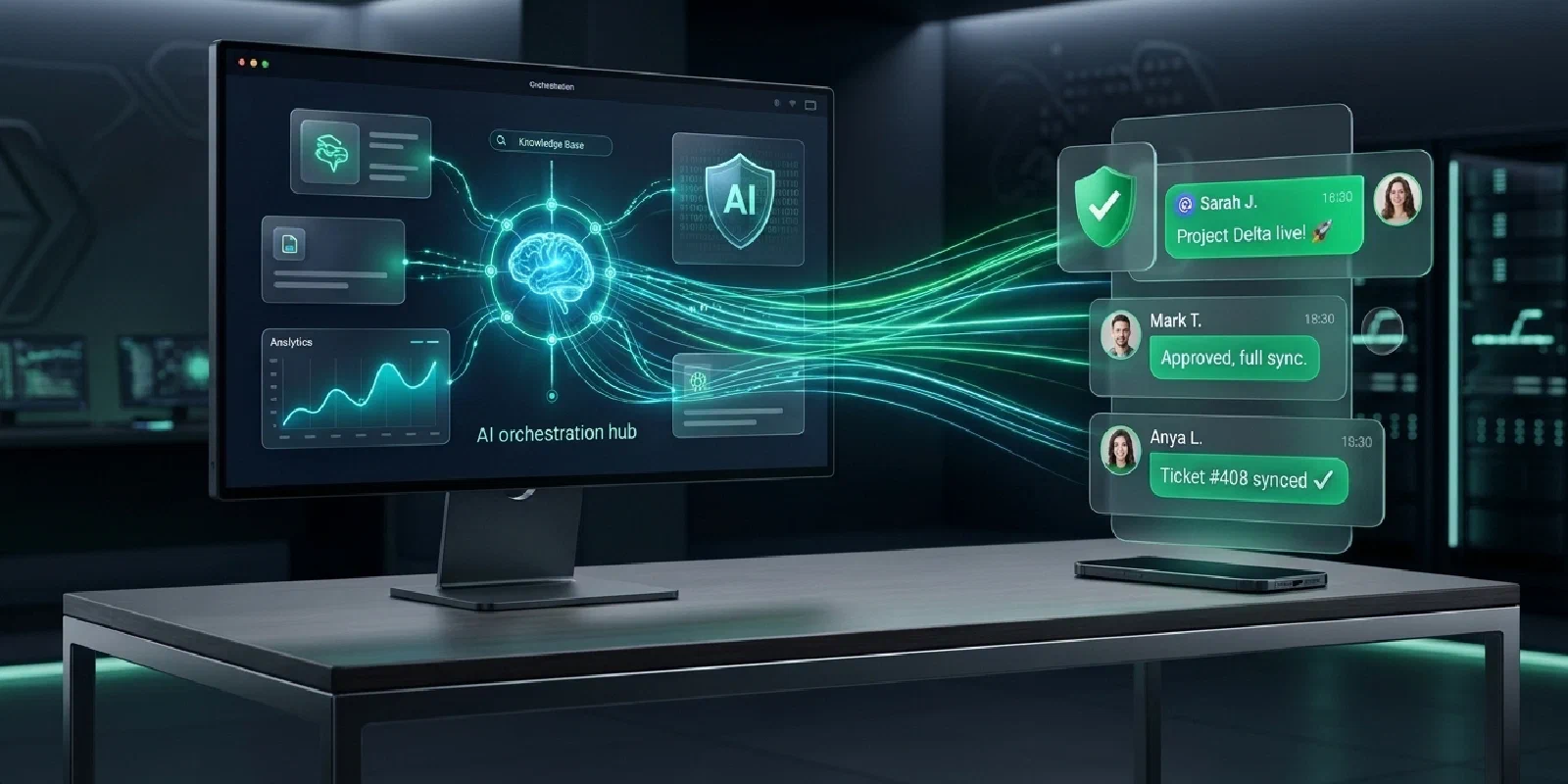
Help customers get timely answers and give your team more time for work that needs human judgment.
In a customer delivery group, a buyer may ask about a shipment while an engineer needs help troubleshooting a product. Employees also need quick access to internal policies and processes. An AI agent can bring company knowledge and business information into these everyday conversations.
This solution combines AstrBot with WeChat Native for collaboration in WeChat groups, including customer groups that interoperate with WeCom. WeChat Native connects a personal WeChat account; interoperability and availability should be verified for the accounts and groups involved. Order lookups, tickets, and other business functions require separate integration with your systems.
Discuss Your Business Scenario Technical Documentation (For IT)
One Agent for Customer Service and Internal Collaboration
| Scenario | How the Agent Can Help |
|---|---|
| Customer support | Answer product and common troubleshooting questions using company manuals, FAQs, and service guidance. |
| Order and delivery inquiries | With a business-system integration, look up authorized information such as order and shipment status. |
| Employee support | Help authorized employees find expense, onboarding, and other internal procedures in private chats. |
| Business follow-up | Depending on the integration, collect customer requests for employees to review and handle. |
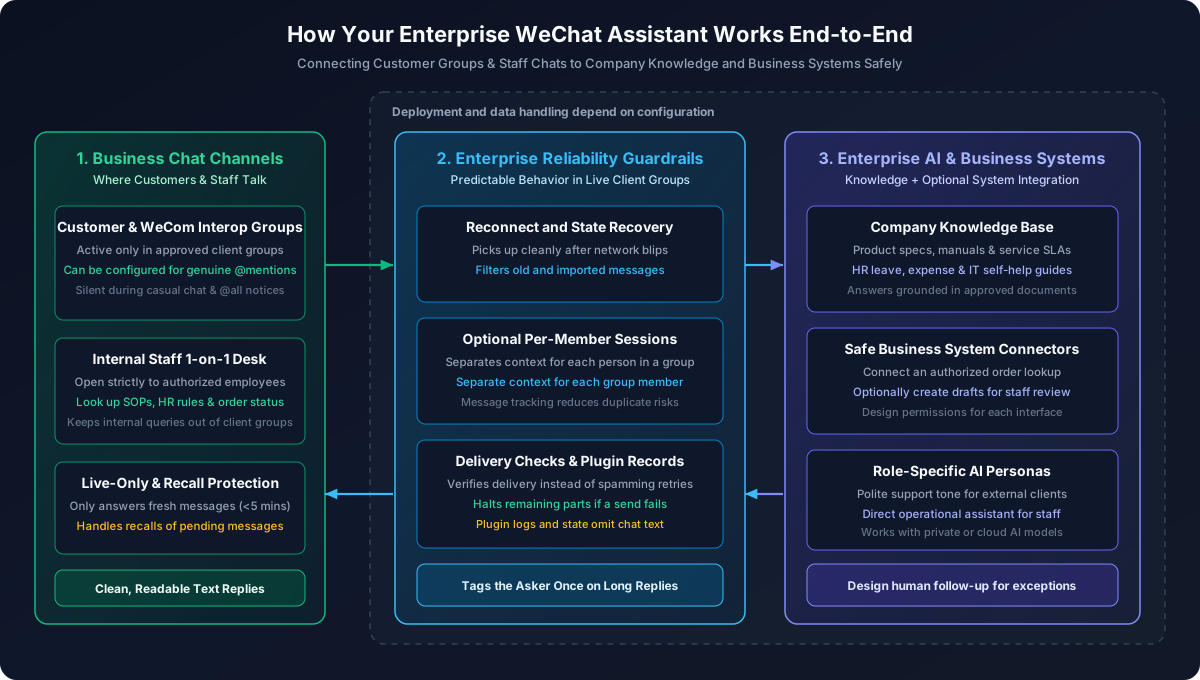
From Answering Questions to Supporting Business Tasks
Business conversations often depend on context. A customer might ask about a product model and then follow up about installation, or check a shipment before requesting a delivery change. An agent can use available company information to formulate a response and call business tools within its configured permissions.
For example, a customer might ask, “What should we check first when the equipment shows E-402?” The agent can search the troubleshooting material the company provides and organize relevant steps for the person on site. When the material does not cover the issue, an engineer should still assess it rather than treating a generated answer as a final diagnosis.
An inquiry such as “When will my order arrive?” requires current information that a knowledge base alone cannot provide. If the company supplies an appropriate interface, the agent can retrieve authorized order details and use them to answer. Which orders and fields are available depends on identity and interface permissions.
Help Different Teams Work in Familiar Chats
Customer support: respond to common questions
Product specifications, installation steps, and service policies are often spread across documents. An agent can use approved customer-facing material to help with repeated inquiries, leaving support staff and engineers more time for complex issues. The material needs regular maintenance, and answers should be checked against real questions.
Sales and delivery: reduce trips between systems
Sales and delivery teams often move between customer chats, order systems, and the warehouse to confirm information. An authorized integration can bring order status into the conversation. For rescheduling or delivery changes, the agent can collect relevant details for an employee to handle. Ticket creation and notification depend on the integration.
Employee support: make internal procedures easier to find
Authorized employees can use private chat to ask about expenses, onboarding, and other internal processes. Internal and customer-facing information and interfaces need separate access rules. Those rules should be tested before launch rather than relying on prompts alone.
Respond When Needed in Customer Groups
Customer groups contain both routine conversation and questions that need attention. The agent’s triggers and access can be configured for the scenario:
- Respond on request: Configure group replies to trigger only when someone selects and
@mentionsthe bot. - Separate conversation context: With the separate-session setting enabled, group members can have their own conversation contexts.
- Control access: User and group allowlists restrict who can interact with the bot and where.
- Handle recalls and delivery uncertainty: The plugin handles recalls of pending messages and checks the original message before sending. When delivery is uncertain, it checks the receipt instead of blindly retrying.
Example: From an Order Inquiry to Human Follow-up
The following illustrates a workflow that can be built around a company’s needs; it is not an out-of-the-box ERP feature:
- A customer
@mentionsthe agent in an authorized group and asks about orderPO-2026-108. - The agent calls a company-provided order interface, retrieves information the requester is authorized to see, and replies in the group.
- The customer
@mentionsthe agent again to request a different unloading location. The agent uses the customer’s conversation context to collect the request. - If a ticketing system has been connected, the agent can create a request for an employee to review. Changes to the actual order follow the company’s permissions and approval process.
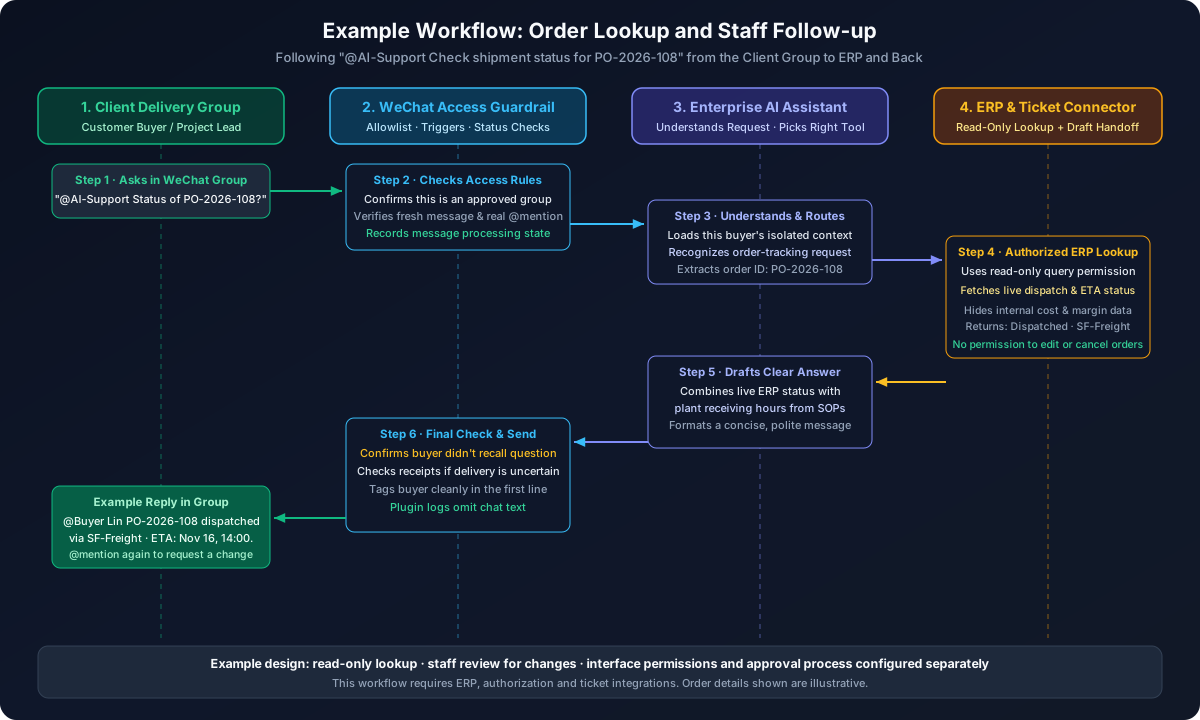
ERP access, customer and order authorization, field filtering, and draft tickets must be designed and implemented for the company’s systems. MCP is one possible integration approach; interface permissions and business processes should define which actions are allowed.
Plan Permissions and Human Follow-up
Different tasks call for different levels of access. A pilot can begin with clear boundaries and expand as the team validates the workflow:
| Task | Suggested Approach | What to Confirm Before Launch |
|---|---|---|
| Knowledge-base questions | Find and organize answers from reviewed material | Which audiences may see the material and how it stays current |
| Business-data inquiries | Retrieve necessary fields through a controlled interface | How requester identity and data access are verified |
| Changes and exceptions | Collect the request for an employee to review | Who receives it, makes the decision, and follows up |
Checking a shipment and changing an order require different permissions. Even when both requests occur in one conversation, a company can expose only the lookup interface and keep changes in its existing approval process. The handoff, notification method, and ownership need to fit the systems already in use.
Deployment and Pilot
- Data and privacy: The WeChat Native state database and plugin logs do not store chat text or tokens. Data handling by AstrBot, model providers, and other components depends on their deployment and configuration.
- Current messaging scope: The plugin supports text-based private and group replies; it does not currently parse images, audio, or files automatically.
- Start small: Test knowledge-base answers and group triggers internally, then add read-only lookups and pilot with selected customer groups as needed.
A practical pilot can focus on one kind of question, such as installation FAQs or shipment status. Once the material and permissions are prepared, use representative questions to check answers, group triggers, and exception handling. Agree on who owns follow-up before inviting a small group of customers. Use unresolved questions and human handoffs to improve the knowledge base and workflow.
For connection and deployment details, see the WeChat Native plugin documentation.
Share on WeChat